The biggest problem to use
Unity (the default Desktop of Ubuntu 12.04) with
NoMachine is that Unity use 3D accelerated hardware.
To use Unity with
VNC or
NoMachine you need to use unity-2d, a lighter version using
Metacity instead of the 3D enabled
Compiz
The simplest way to make it works is to select
Unix and
Custom :
and set this command in
Custom - Settings
env DESKTOP_SESSION="ubuntu-2d" GDMSESSION="ubuntu-2d" /etc/X11/Xsession "/usr/bin/gnome-session --session=ubuntu-2d"
This line use
Xsession instead of starting
gnome-session directly. This is to setup some important environment variables like
XDG_*. Unfortunately, Xsession looks to be buggy and need some help. This is why I setup the two variables
DESKTOP_SESSION and
GDMSESSION.
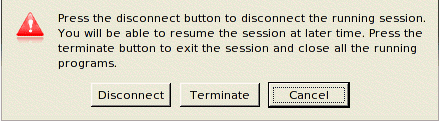
The probleme with this setup is that NoMachine client don't close smoothly and I need to
Terminate the session.
To avoid this I edit file
/usr/NX/etc/node.cfg and update line :
CommandStartGnome = "env DESKTOP_SESSION=ubuntu-2d GDMSESSION=ubuntu-2d /etc/X11/Xsession '/usr/bin/gnome-session --session=ubuntu-2d'"
And change my NoMachine client settings back to GNOME
Sometime the launcher bar on the left is not refreshed at startup. These icons are over all windows and then are not easy to refresh. To solve this problem I click logout in the "system" menu and move the windows over these icons. When icons are redrew I close the logout windows.