Showing posts with label linux. Show all posts

Saturday, 29 September 2012

Long range router : TL-WR1043ND and openwrt


I lost my internet wireless router 2 day ago and my spare one soon after.
I have replaced it with a TP-LINK TL-WR1043ND. It costed only € 54.

I'm astonished by the long range of this router.
All my wireless devices are working everywhere in the house and outside.
They are all working a lot faster, yes faster !
I think that even my neighbors get a better signal than for their own router :-)

It look like its power is 500mw (if you choose the right country code),
most router are between 50 to 200mw only to match the laws.
It has 3 big antennas that help for reception.

I have installed last openwrt (linux) in 3seconds (I'm a bit from Cosica)

Thumb up for openwrt that work very well ! I was using old kamikaze since 2006 on
the previous router.
The luCI web interface provide all the expected stuff.
The original firmware was also very "generous", including an impressive "parental control" screen.

I have setup my SIXXS IPv6 connection using some SSH, VI and command line, but I can see some part of the setup from the web interface.

The performances looks impressive. The WR1043ND can route up to 29Mo/s between LAN and WAN
and the USB allows up to 22Mo/s for read and write.


Tuesday, 25 September 2012

Xubuntu 12.04 : failed to hibernate session not authorized

Suspend was working, but hibernate was sowing message : "failed to hibernate session not authorized".

I have created file /etc/polkit-1/localauthority/50-local.d/com.ubuntu.enable-hibernate.pkla


[Re-enable hibernate by default]
Identity=unix-user:*
Action=org.freedesktop.upower.hibernate
ResultActive=yes

Now hibernate is working fine.


Xubuntu 12.04 and Nvidia 7300 multi-screen

After installing Xubuntu 12.04, on my old PC with a Nvidia 7300, only the monitor connected to the VGA port was displaying X. The DVI side stayed dark.

I have created a minimalistic /etc/X11/xorg.conf :


Section "Monitor"
    Identifier     "Monitor0"
    VendorName     "Unknown"
    ModelName      "Unknown"
EndSection

Section "Device"
    Identifier     "Device0"
    Driver         "nvidia"
    VendorName     "NVIDIA Corporation"
EndSection

Section "Screen"
    Identifier     "Screen0"
    Device         "Device0"
    Monitor        "Monitor0"
    DefaultDepth    24
    SubSection     "Display"
        Depth       24
    EndSubSection
EndSection


And used nvidia-xconfig to customize it using :

# nvidia-xconfig --twinview  --twinview-orientation="LeftOf"

My DVI monitor (the second one) is on the left of my VGA Monitor.

That's it.
Then I have logged out and in and I got both monitors on and windows sliding between them.

For reference here is my working xorg.conf :


# nvidia-xconfig: X configuration file generated by nvidia-xconfig
# nvidia-xconfig:  version 295.40  (buildmeister@swio-display-x86-rhel47-06.nvidia.com)  Thu Apr  5 22:40:54 PDT 2012


Section "ServerLayout"
    Identifier     "Layout0"
    Screen      0  "Screen0" 0 0
    InputDevice    "Keyboard0" "CoreKeyboard"
    InputDevice    "Mouse0" "CorePointer"
EndSection

Section "Files"
EndSection

Section "InputDevice"

    # generated from default
    Identifier     "Mouse0"
    Driver         "mouse"
    Option         "Protocol" "auto"
    Option         "Device" "/dev/psaux"
    Option         "Emulate3Buttons" "no"
    Option         "ZAxisMapping" "4 5"
EndSection

Section "InputDevice"

    # generated from default
    Identifier     "Keyboard0"
    Driver         "kbd"
EndSection

Section "Monitor"
    Identifier     "Monitor0"
    VendorName     "Unknown"
    ModelName      "Unknown"
    HorizSync       28.0 - 33.0
    VertRefresh     43.0 - 72.0
    Option         "DPMS"
EndSection

Section "Device"
    Identifier     "Device0"
    Driver         "nvidia"
    VendorName     "NVIDIA Corporation"
EndSection

Section "Screen"
    Identifier     "Screen0"
    Device         "Device0"
    Monitor        "Monitor0"
    DefaultDepth    24
    Option         "TwinView" "True"
    Option         "MetaModes" "nvidia-auto-select, nvidia-auto-select"
    Option         "TwinViewOrientation" "LeftOf"
    SubSection     "Display"
        Depth       24
    EndSubSection
EndSection


Monday, 10 September 2012

Ubuntu 12.04 sometime stuck in boot menu after boot failure

Ubuntu 12.04, when boot fail and maybe even when computer don't shutdown properly (no sure), grub2 stuck in boot menu at next reboot and wait for a user input.
This is very annoying for servers, just after a power cut or something else  !
To avoid this edit file /etc/grub.d/00_header and comment some line to get :

#if [ \${recordfail} = 1 ]; then
#    set timeout=-1
#else
    set timeout=${GRUB_TIMEOUT}
#fi

Thursday, 17 May 2012

Ubuntu 12.04 and NoMachine NX

The biggest problem to use Unity (the default Desktop of Ubuntu 12.04) with NoMachine is that Unity use 3D accelerated hardware.
To use Unity with VNC or NoMachine you need to use unity-2d, a lighter version using Metacity instead of the 3D enabled Compiz

The simplest way to make it works is to select Unix and Custom :

and set this command in Custom - Settings


env DESKTOP_SESSION="ubuntu-2d" GDMSESSION="ubuntu-2d" /etc/X11/Xsession "/usr/bin/gnome-session --session=ubuntu-2d"

This line use Xsession instead of starting gnome-session directly. This is to setup some important environment variables like XDG_*. Unfortunately, Xsession looks to be buggy and need some help. This is why I setup the two variables DESKTOP_SESSION and GDMSESSION.

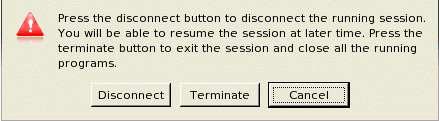
The probleme with this setup is that NoMachine client don't close smoothly and I need to Terminate the session.


To avoid this I edit file /usr/NX/etc/node.cfg and update line :

CommandStartGnome = "env DESKTOP_SESSION=ubuntu-2d GDMSESSION=ubuntu-2d /etc/X11/Xsession '/usr/bin/gnome-session --session=ubuntu-2d'"

And change my NoMachine client settings back to GNOME


Sometime the launcher bar on the left is not refreshed at startup. These icons are over all windows and then are not easy to refresh. To solve this problem I click logout in the "system" menu and move the windows over these icons. When icons are redrew I close the logout windows.